Event Photo Sharing with QR Code Free: Options in Minutes
Event photo sharing with QR code free: set up a Google Photos album or WhatsApp group for £0, or use a one-time-fee tool with a live slideshow.
Key takeaways
- A Google Photos shared album or WhatsApp group gives you genuinely free QR code photo sharing, while dedicated tools are free to try but charge to keep the gallery.
- Google Photos uploads count against the uploader's 15 GB of account storage, and guests without a Google account hit a sign-in wall.
- WhatsApp photo dumps work well for small parties but bury wedding photos in chat history and compress uploads.
- Dedicated QR tools like Moment49 (£39 one-time per event) add a live slideshow, no app for guests, and a downloadable gallery after the event.
- Before relying on any free plan, check guest caps, upload windows, storage quality, account requirements, video support, and full-gallery downloads.
Yes, event photo sharing with qr code free is possible: a Google Photos shared album or a WhatsApp group costs £0, while dedicated tools like Wedibox offer free trials rather than truly free plans. This guide walks through each setup, the limits to check, and which fits your event.
How does free QR code photo sharing actually work at an event?
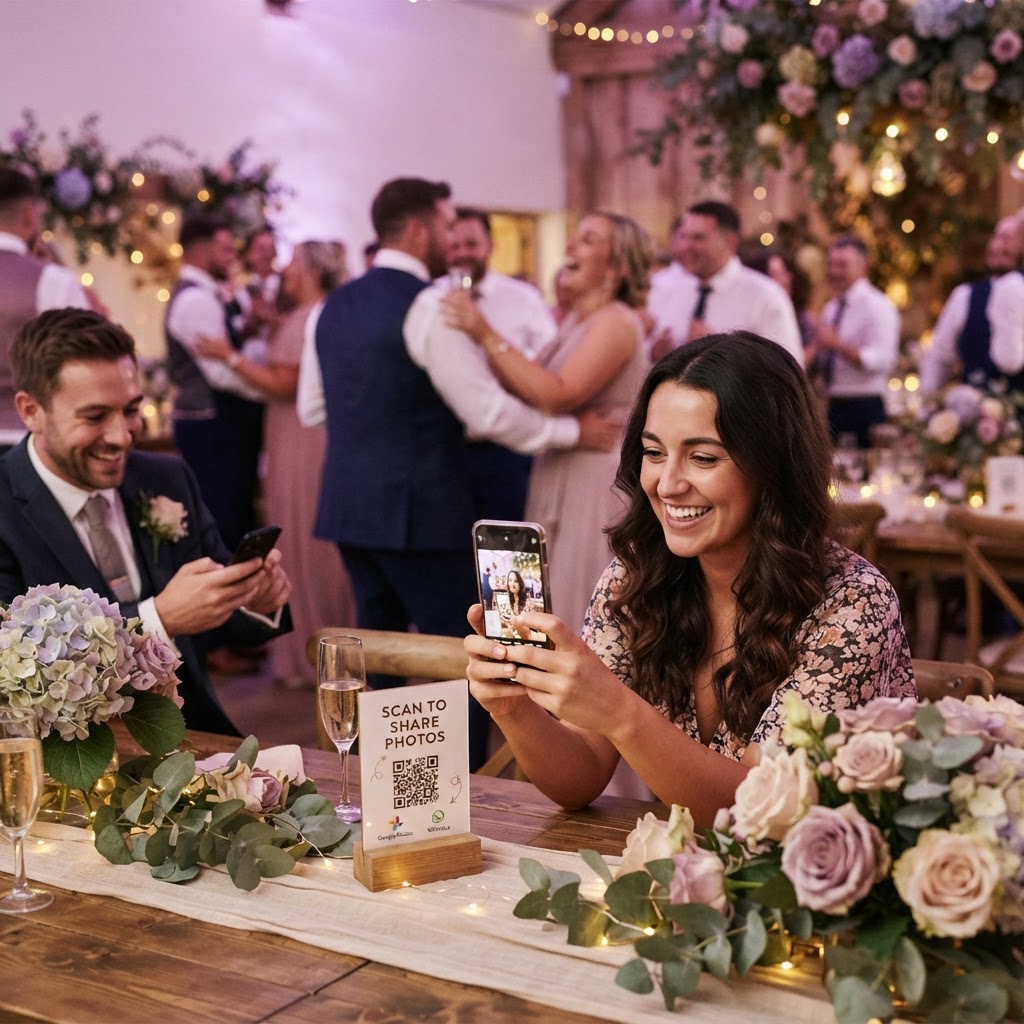
You print one QR code, put it on a table card or sign, and guests scan it with their phone camera. That's the whole trick: the code opens a web page, and the page does the rest.
The three pieces: QR code, upload page, gallery
The QR code is just a link. It opens an upload page in the guest's browser, which asks for photos (and sometimes video messages) straight from the camera roll. No app download, no account, no password. The uploads land in a gallery the couple can watch as they arrive. The catch with free options is usually storage: a free Google Photos shared album counts uploads against the uploader's 15 GB of Google account storage (Google Photos Help).
Where the live slideshow fits in
Most dedicated tools, including Moment49's photo booth mode, display new uploads on a screen at the venue as they come in. Guests see their own photos appear within seconds, which is what keeps them uploading all night. A shared album can approximate this with a cast-to-TV slideshow, but it won't update live in the same way.
What are the truly free options versus free trials in disguise?
Two options cost nothing at all: a Google Photos shared album and a WhatsApp group chat photo dump. Both let guests upload without paying you anything, and both stay free after the wedding. Their trade-offs are friction and order: guests need a link or an invite, and hundreds of photos arrive as one unsorted camera roll dump rather than a live slideshow.
Most dedicated QR photo tools work differently. They let you create your event and start collecting for free, then charge to unlock the full gallery, extend how long photos stay online, or remove guest limits. That is free to try, not free to keep.
Free-for-real: shared albums and group chats
Google Photos and WhatsApp cost £0 forever. You pay in setup effort and in guests who forget to upload after the day.
Free-to-try: QR photo tools with paid galleries
Here is how the realistic options compare:
| Option | Upfront cost | What "free" gets you | The catch |
|---|---|---|---|
| Google Photos shared album | £0 | Unlimited uploads, full gallery | Manual setup, no live slideshow |
| WhatsApp group chat | £0 | Instant photo dump | Chaotic, guests must join the group |
| Wedibox | Free to start | Trial of the gallery | Paid to keep or export everything |
| GuestPix | Free to start | Trial of the gallery | Paid to keep or export everything |
| Moment49 | £0 to set up | Create your event and preview | £39 one-time per event, see Pricing |
If you want the tool route, budget for the one-time charge from the start rather than discovering it two weeks before the wedding.
How do you set up a Google Photos shared album with a QR code?
Step-by-step setup: Google Photos shared album
Open Google Photos, create a new album, and turn on sharing so anyone with the link can add photos. Copy that link, paste it into a free QR generator, and download the code as a PNG. Print it on a card for each table with a short line like "Scan to add your photos to our album." Ten minutes of work, no cost beyond printing.
The limits: accounts, storage, and guest friction
Here is the honest part. Guests without the Google Photos app or a Google account hit a sign-in wall before they can upload, and older relatives often give up there. Photos also count against your Google storage once your free 15 GB is full, so a wedding's video messages can push you over. And there is no live slideshow, no guestbook captions, no structure, just one long camera roll. If those gaps matter, a purpose-built tool like Moment49 (one-time £39 per event, no app for guests) handles them for you, as covered later. The same QR-invite trick works for a WhatsApp group photo dump, which Google documents in its group invite and QR join guide.
How do you set up a WhatsApp group as a photo dump with a QR code?
Step-by-step setup: WhatsApp group photo dump
Create a WhatsApp group for your event a week before, and name it something obvious like "Sam & Priya's Wedding Photos". Open the group, tap the invite link, and copy it. Paste that link into a free QR generator, download the QR code, and print it on table cards or a sign by the entrance. Guests scan, tap join, and start dropping photos into the chat during the night. Ask a chatty friend to post the first few pictures so nobody feels awkward going first.
The limits: everyone needs the app, and photos get buried
The catch is that every guest needs WhatsApp installed and a phone number registered, so older relatives or anyone avoiding the app are out. Uploads are also compressed, and a 300-photo chat buries the best shots between messages about taxis. There is no live slideshow and no way to separate ceremony from party. It works brilliantly for a 20-person birthday; at a wedding, a dedicated tool like Moment49 keeps guest photos in one gallery instead (a walkthrough is at How To Guide | Moment49).
How do you set up a dedicated QR photo tool before the event?
Step-by-step setup: dedicated QR photo tool
Purpose-built guest camera tools like Wedibox and Moment49 take minutes to set up, and the walkthrough below is broadly the same for both. Create your event, pick a name and date, and the tool generates a QR code plus a short link. Print the code on table cards or add it to your invitations, then test it yourself on your own phone before the day. On the day, guests scan, land straight in your gallery, and start uploading photos, videos and voice messages with no app download and no account. If you want, turn on the live slideshow so uploads appear on the venue screen as they arrive, and split the gallery into ceremony, speeches and evening do so guests know where their pictures belong. You can see how the finished gallery looks at Shared Gallery | Moment49.
What free gets you and what it does not
Free tiers typically let you build the event and test the flow with a handful of uploads, but guest caps, storage limits or watermarks appear quickly. Wedibox and Moment49 both charge a one-time per-event price instead: Moment49 is £39 for the whole event, not per guest.
Where Moment49 falls short on free
Honestly, Moment49 is not a free option. You can preview the gallery and set up before paying, but the full gallery after the event sits behind the £39 charge. If your budget is strictly zero, the Google Photos walkthrough earlier in this guide is the honest choice.
Which free option fits a wedding versus a birthday party versus a corporate event?
For a wedding, the photos matter most and you only get one shot, so a dedicated QR tool earns its place. Wedibox offers a free tier to try before committing, and paid plans cover the full day (Wedibox pricing). Our own Moment49 works the same way: one-time £39 per event, live slideshow, no app for guests.
For a birthday or casual party, a WhatsApp group photo dump is usually enough. Guests are already in the chat, uploads happen automatically, and nobody needs instructions beyond "post your pics."
For a corporate event, a Google Photos shared album with a QR code printed on signage works well. Colleagues are comfortable with it, and you avoid asking strangers to join a group chat.
The rule of thumb: the higher the stakes and the less you know the guests, the more the setup is worth doing properly.
What limits should you check before relying on a free plan?
The six-point checklist
Before your wedding, run any free option through six checks. First, guest caps: some free plans stop accepting uploads after a set number of guests, which fails exactly when your whole reception tries at once. Second, the upload window: many free tiers close uploads days after the event, so late guests get locked out. Third, storage: free Google Photos albums compress uploads, and WhatsApp flattens photos to roughly standard quality, so check what resolution you actually receive.
Fourth, accounts: if guests must download an app or register, upload rates drop; scan-and-upload with no account is the bar. Fifth, video: some free plans are photo-only, so video messages and speeches need a separate plan. Sixth, downloads: confirm you can pull the full gallery yourself, without guests emailing files one by one. Paid one-time tools like Moment49 (£39 per event) exist because those last two limits are where free plans usually hurt most.
How do you get guests to actually scan and upload?
Where to put the QR code
Guests scan what they can see from where they sit. Put a framed card on every table, a large sign at the bar, and a line on the welcome board. One QR code on a single poster near the door gets missed by half the room; table cards get scanned within minutes of people sitting down. If you are using a paid tool, check the guest cap before printing: some plans limit uploads, and GuestPix prices its paid plans on its main site, so confirm your headcount first.
The announcement script that works
Ask your MC or DJ to say this before food is served: "If you've taken photos tonight, scan the card on your table and drop them in. You'll see them appear on the big screen." The live slideshow is the hook. People upload because they want their shot on the display, and the first few uploads create a queue of everyone else. Re-announce once after the first dance, when the second wave of photos happens.
What happens to the photos after the event ends?
Free options differ most after the last dance. A Google Photos shared album keeps everything in your own account indefinitely, and guests can download at will, but you may find yourself chasing people for uploads. A WhatsApp group keeps photos buried in chat history, easy to lose as messages pile up. Dedicated tools vary: some free plans expire uploads or shrink downloads to paid tiers, so check the retention terms before booking.
Whatever you use, spend ten minutes in the first week: download everything, back it up in two places, and thank the guests who uploaded. If you want a paid safety net, Moment49 (£39 one-time per event) keeps your gallery downloadable afterwards rather than switching off.
FAQ
Is there a completely free wedding photo sharing app with no download for guests?
Not really. A Google Photos shared album comes closest, but guests without the app or a Google account hit a sign-in wall before uploading. WhatsApp needs its app installed and a registered phone number. Dedicated QR tools let guests scan and upload in the browser with no app, but keeping the full gallery costs a one-time fee.
How many photos can guests upload with a free QR code photo share?
Free options rarely enforce a hard photo count; the real ceilings are storage and quality. Google Photos uploads count against the uploader's 15 GB of account storage, and WhatsApp compresses photos to roughly standard quality. Paid QR tools often cap guests or uploads on free tiers, then charge a one-time fee to lift the limits.
Do guests need a Google account to add photos to a shared album?
Yes, in practice. Guests without the Google Photos app or a Google account meet a sign-in wall before they can add anything, and older relatives often give up there. Anyone who does get past it uploads into your album, but those photos count against Google storage once the free 15 GB allowance is used up.
Can guests upload videos as well as photos with a QR code?
It depends on the option. Google Photos shared albums accept video, but large files eat into the free 15 GB storage quickly. WhatsApp handles video with compression. Some free tiers on dedicated tools are photo-only, so video messages and speeches need a paid plan. Check the video terms before your event, not during it.
How long after the wedding can guests still upload photos?
Free options differ sharply here. A Google Photos shared album stays open indefinitely as long as you leave sharing on. A WhatsApp group accepts photos whenever someone posts. Many free tiers on dedicated tools close uploads days after the event, locking out late guests, so check the upload window and retention terms before you commit to one.